Following an exercise video on a phone or tablet propped against a couch cushion is frustrating. The device slides, the angle is wrong, you can’t see the screen from standing position, and looking down at a floor-level screen throws off your balance during standing exercises. A proper stand positions your device at eye level, at a viewable angle, and securely enough that you can focus on your exercise form rather than the device’s stability.
The right stand setup turns a wobbly, awkward viewing experience into a stable, comfortable one. You shouldn’t have to interrupt your workout to re-prop your tablet or crane your neck to see what the instructor is doing. A good stand stays put, holds your device at the correct height, and adjusts to accommodate different exercise positions.
Best Stands for Exercise Video Viewing
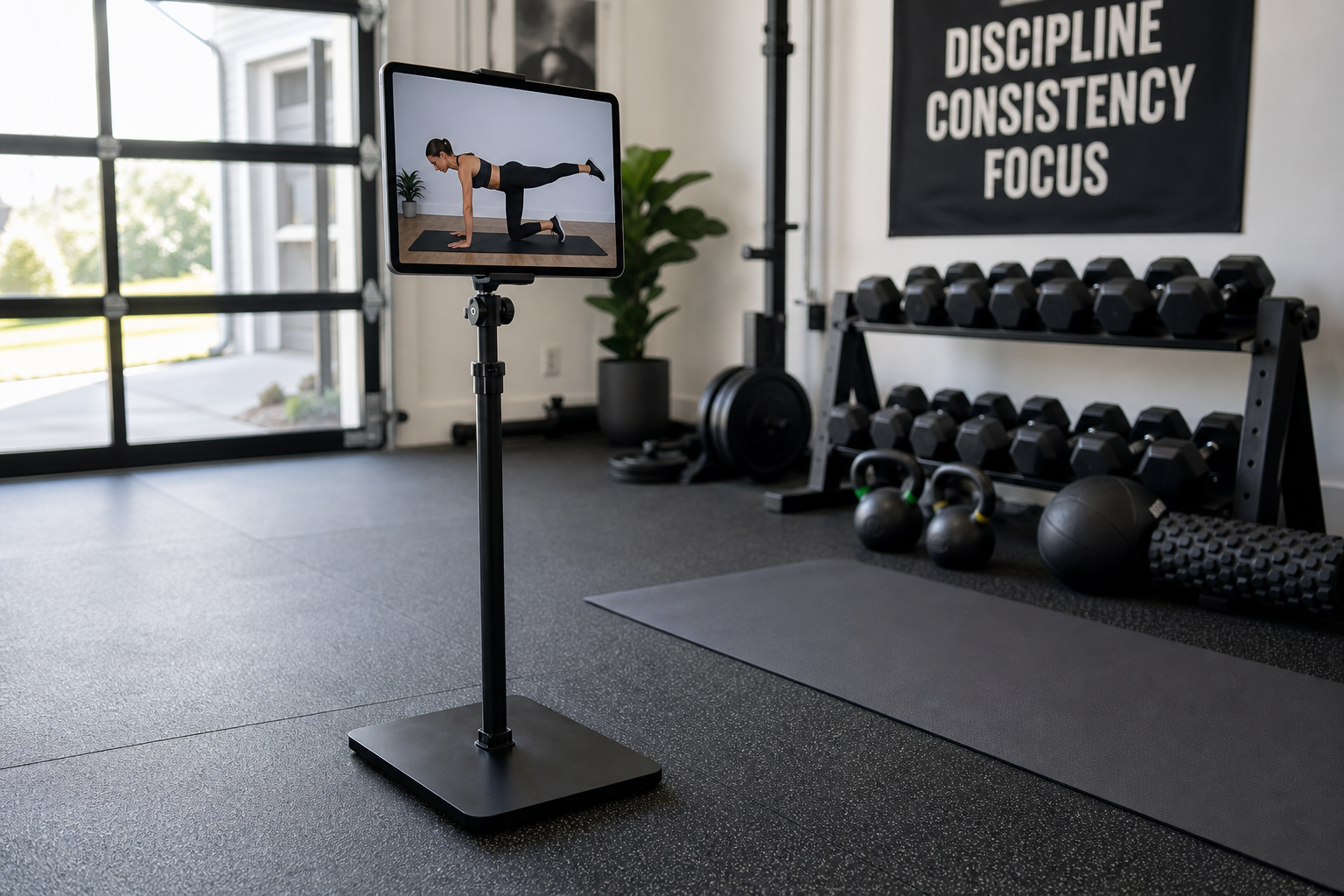
Adjustable Floor Stand (Best Overall)

Adjustable Height Tablet Floor Stand
Best for both standing and seated exercises with full height adjustment
A height-adjustable tablet floor stand (gooseneck or tripod style) positions your device at eye level during both standing and seated exercises. The adjustable height accommodates any exercise position. Weighted bases prevent tipping. The gooseneck arm allows angle adjustments for viewing from different positions in the room.
Most floor stands extend from about 24 inches (seated viewing) to 60 inches or higher (standing viewing). The gooseneck models offer more flexibility than fixed-height tripods because you can bend the arm to tilt the screen up or down without changing the base height. Look for a weighted base (at least 3-4 pounds) or a tripod with wide-spread legs for stability. Lightweight stands tip when you accidentally bump them.
The clamp or holder should grip your device securely without requiring excessive force to insert or remove the tablet. Spring-loaded clamps work well. Friction-fit holders are less reliable and allow the device to slowly sag during a workout.
Position the floor stand 6-8 feet from your exercise area. This distance allows you to see the full screen clearly while giving you enough space to move through lunges, arm circles, or side steps without hitting the stand.
Countertop Stand
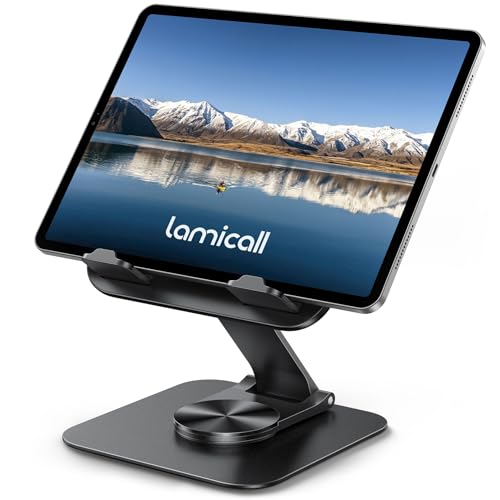
Adjustable Angle Tablet Countertop Stand
Perfect for kitchen counter workouts with simple, stable setup
A simple adjustable-angle countertop stand placed on your kitchen counter positions the screen at comfortable viewing height during standing exercises. This is the most stable and simplest option for seniors who exercise in the kitchen (near the counter they use for balance support).
Standard kitchen counters sit at 36 inches, which puts a tablet at roughly chest to shoulder height for most people. This works well for standing exercises. For seated floor work or chair exercises, the counter is too high, so a countertop stand is best for routines that stay upright.
Choose a stand with multiple angle settings rather than a single fixed angle. You need to tilt the screen slightly downward if the counter is above your eye level, or upward if you’re taller and the counter sits below eye level. Rubberized or silicone contact points prevent the stand from sliding on smooth countertops.
The advantage here is simplicity. No assembly, no adjustments mid-workout. Place your tablet in the stand, press play, and start moving. The counter itself is already a stable surface, so the stand just needs to hold the device at the right angle.
Wall-Mount Holder
A wall-mounted tablet holder placed at eye level provides a permanent, dedicated viewing position for your exercise area. No setup required for each session. Just place the tablet in the holder and press play. Adhesive mounts avoid drilling. Magnetic mounts allow quick tablet placement and removal.
Wall mounts work best if you have a dedicated exercise space (a home gym, a spare bedroom, a corner of the living room you use daily for workouts). Installing a mount makes sense if you exercise in the same spot regularly. It doesn’t make sense if you move your workout location depending on the day.
Adhesive mounts use 3M-style command strips or strong double-sided tape. They hold lighter tablets (under 1.5 pounds) reliably on painted drywall, smooth tile, or finished wood. They don’t adhere well to textured walls or rough surfaces. Magnetic mounts require a small metal plate stuck to the back of your tablet case, then the tablet snaps onto the wall-mounted magnetic holder.
Install the mount at your eye level when standing (typically 60-65 inches from the floor for most adults). Test the height before committing to the adhesive. Stand in your exercise position and mark where your eyes naturally land on the wall. That’s where the center of your screen should sit.
Swivel mounts let you adjust the viewing angle without removing the tablet from the wall. This is useful if you exercise in different parts of the room (facing the wall for some exercises, standing to the side for others). Fixed mounts are simpler and less expensive but lock you into one viewing angle.
Tabletop Easel Stand
A small tabletop easel stand works if you exercise near a table, dresser, or desk. These compact stands fold flat for storage and hold tablets at a fixed or slightly adjustable angle. They’re portable, inexpensive, and stable on any flat surface.
The limitation is height. A table stand placed on a standard dining table (30 inches high) or dresser (32-36 inches) positions the screen below eye level for standing exercises. This setup works better for seated routines (chair yoga, seated strength training, stretching) where you’re at roughly the same height as the table.
Easel stands with a vertical slot hold the tablet upright in portrait orientation, which is rarely useful for exercise videos (most are filmed in landscape). Look for stands designed for landscape viewing with a wide base and angled support.
Clamp-On Adjustable Arm
A clamp-mount adjustable arm attaches to the edge of a table, shelf, or counter and extends outward with a flexible gooseneck or jointed arm. This setup keeps your exercise area clear (no floor stand to work around) while still offering adjustable height and angle.
The clamp needs a secure mounting surface. It works on tables with an overhang or lip but doesn’t attach well to flush surfaces. The arm extends 12-24 inches depending on the model, so you can position the tablet away from the wall or furniture edge.
Clamp mounts are less stable than weighted floor stands. If you bump the arm during your workout, the tablet will shake or shift. They’re best for less dynamic routines (stretching, light yoga, balance work) rather than high-energy cardio or anything involving quick direction changes that might jar the table.
Viewing Tips
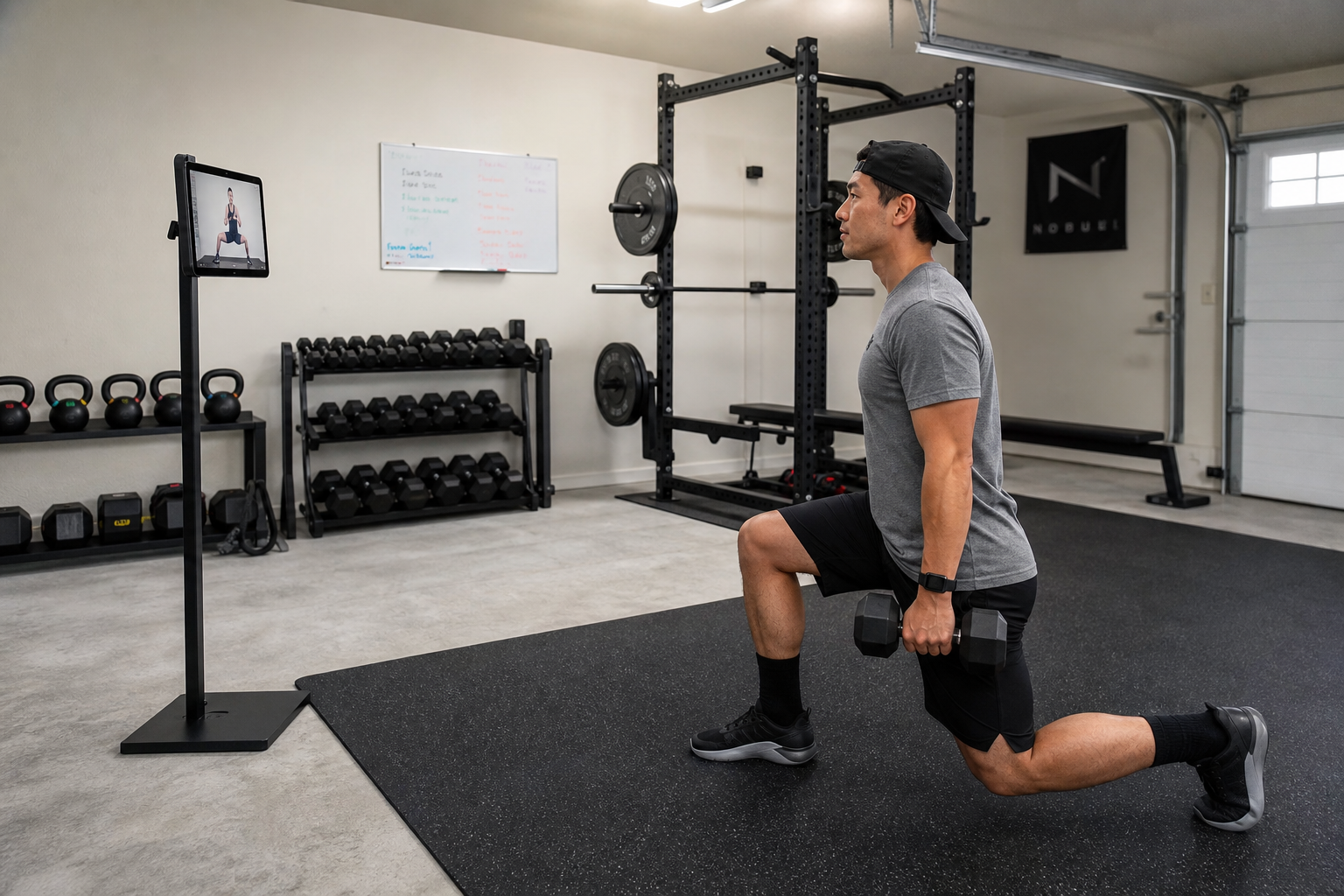
Eye Level Is Essential
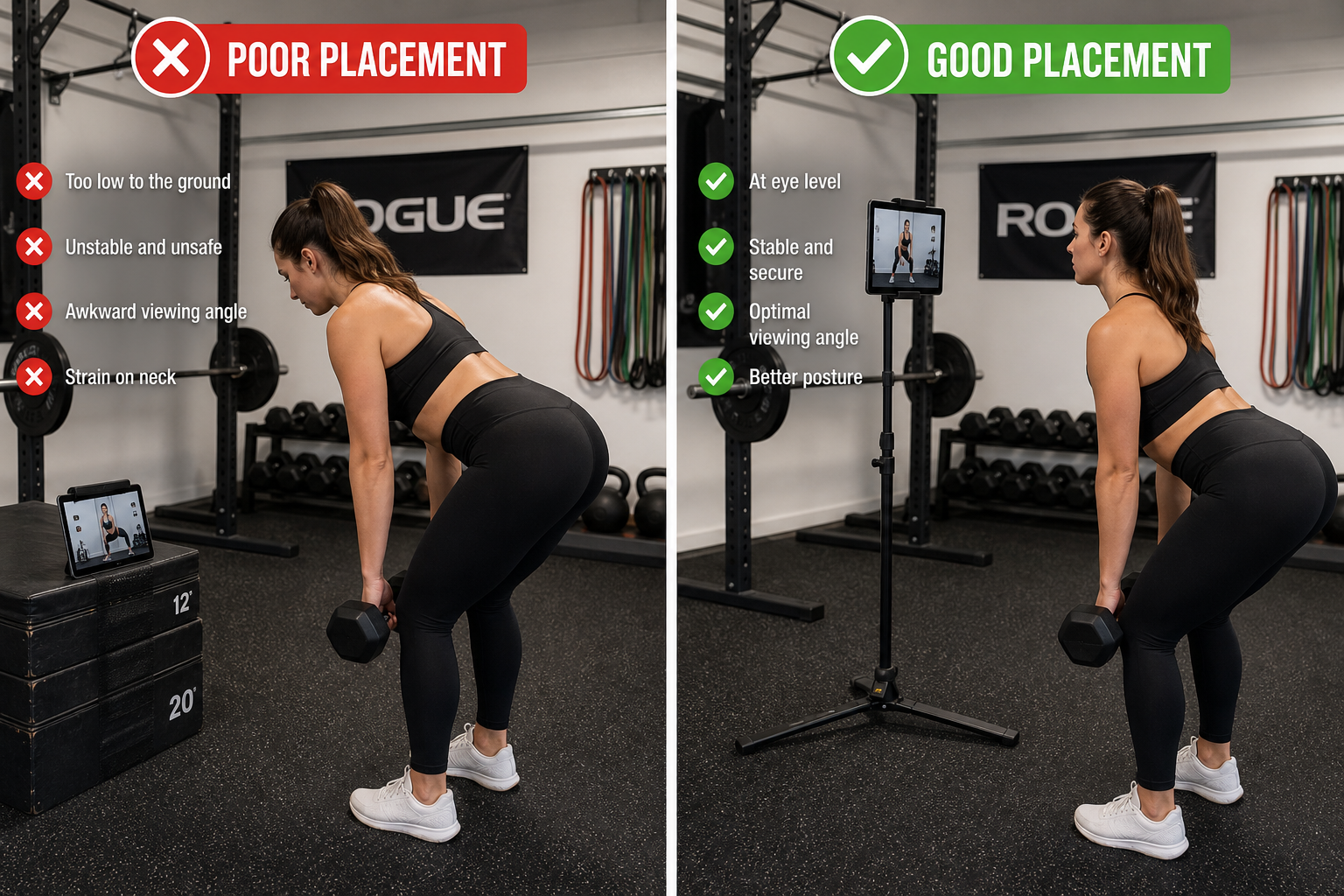
Looking down at a device on the floor shifts your head forward, disrupts your posture, and compromises your balance during standing exercises. Always position the screen at or slightly below eye level.
Your head weighs about 10-12 pounds. When you tilt it forward and down to look at a low screen, your neck muscles have to work harder to support that weight at an awkward angle. This creates neck strain during the workout and poor postural habits (rounded shoulders, forward head position) that carry over after the workout ends.
For balance-focused exercises (single-leg stands, tandem stance, walking patterns), keeping your head level is especially important. Your inner ear’s balance sensors (vestibular system) rely on your head position to help your body know where it is in space. Tilting your head down confuses those signals and makes balancing harder.
If you’re working on correcting forward head posture, watching exercise videos at eye level reinforces proper alignment rather than working against your posture improvement efforts.
Increase Screen Brightness
Bright rooms (good for exercise) can wash out dim screens. Maximum brightness ensures the instructor’s movements are visible from your exercise distance (6-8 feet).
Exercise spaces should be well-lit to prevent trips and falls. That lighting washes out screens set to dim or auto-brightness modes. Crank the brightness to 100% before starting your workout. If your device has an auto-brightness feature, disable it during exercise sessions. The screen should remain consistently visible even when you move and cast shadows.
Use a Tablet Over a Phone
The larger screen is easier to see from exercise distance. A 10-inch tablet is the minimum recommended size for following exercise videos during standing work.
Phone screens (5-7 inches) are too small to see clearly from across the room. You end up stepping closer to check the instructor’s form, which interrupts your workout flow. A 10-inch tablet screen is visible from 6-8 feet without squinting. Larger tablets (12 inches or more) are even better if you have one.
If you only have a phone, position it closer (3-4 feet) or cast it to a larger display (TV, laptop, larger tablet) using screen mirroring.
Enable Closed Captions
Exercising without headphones is safer. You can hear your environment (someone at the door, a phone ringing, something falling in another room). You’re also less likely to get tangled in cords during movement. The tradeoff is that room acoustics can make the instructor’s voice hard to hear. Closed captions solve this. You see “Step to the right” or “Hold for five seconds” even if you can’t hear it clearly.
Most streaming platforms (YouTube, fitness apps) have built-in caption settings. Enable them before starting your workout. Some exercise video platforms have poor auto-captioning that lags or displays incorrect text. If captions are garbled or delayed, you may need to focus on visual cues instead.
Test Your Setup First
Run through a few minutes of a video to check screen visibility, stability, and viewing angle. Make adjustments when you’re not mid-exercise and slightly out of breath. Once your setup works, you won’t need to fiddle with it again.
Whether you’re following a beginner walking program or strength training routine, testing your viewing setup beforehand prevents interruptions during the workout.
Keep the Stand Clean and Dust-Free
Stands placed on the floor accumulate dust, pet hair, and debris that can interfere with moving parts (gooseneck joints, tripod legs). Wipe down floor stands weekly. Check clamps and holders for grime buildup that can reduce grip strength.
Common Mistakes to Avoid
Placing the Stand Too Far Away
If you can’t clearly see the instructor’s foot position or hand placement, the stand is too far. The ideal distance is close enough to see details but far enough to give you movement space. For most people, 6-8 feet is the sweet spot.
Using an Unstable Surface
A stand placed on a wobbly TV tray, a soft rug, or an uneven floor will shift during your workout. Floor stands need a hard, level surface. If you exercise on carpet, use a stand with wide tripod legs or a large weighted base that distributes weight over a bigger area.
Ignoring Glare
A window behind you or a bright overhead light reflecting off the screen makes it hard to see. Adjust your stand position or close blinds to eliminate glare. If glare is unavoidable, reposition your exercise area so the screen faces away from the light source.
Not Securing the Device Properly
A tablet that’s loosely clamped or wedged into a holder will slip during your workout. Take the extra two seconds to make sure the device is fully seated in the clamp or holder before starting.
When to Involve a Professional
If balance is significantly impaired or you’re recovering from a fall, talk to your doctor or physical therapist before starting video-based exercise routines. They may recommend supervised sessions first to ensure you can safely follow along with a video instructor who can’t see you or provide real-time corrections.
For those recovering from hip replacement or knee replacement surgery, working with a physical therapist before transitioning to video-based workouts ensures you’re using proper form and not risking your recovery.
Frequently Asked Questions
Can I use my TV instead of a tablet?
Absolutely. Cast your phone or tablet to your TV (via Chromecast, Apple TV, or smart TV apps) for the largest possible screen. Position your exercise area so the TV is directly ahead of you at eye level or slightly above. A TV is the ideal viewing surface for exercise videos because the large display is visible from across the room with no squinting.
Most smart TVs have built-in casting support. On an iPhone or iPad, use AirPlay. On Android devices, use Chromecast or the TV’s native screen mirroring feature. Fitness apps like YouTube, Peloton, and others often have TV apps you can download directly to your smart TV, eliminating the need to cast from a phone or tablet.
If your TV is mounted high on the wall (common in living rooms), it may be above ideal eye level for exercise. A TV positioned for comfortable seated viewing (center of the screen at seated eye level, around 42 inches from the floor) is too high when you stand. If your TV is mounted high, you’ll tilt your head back slightly to watch. This is less problematic than tilting your head down, but it can still cause neck strain during long workouts. The best TV position for exercise is lower, with the center of the screen at 50-60 inches from the floor.
Do I need a special stand for a phone?
A phone can be placed in a simple adjustable phone stand on a countertop or shelf. The screen is smaller than a tablet, so you may need to position it closer to your exercise area. For standing exercises, a floor stand with a phone-compatible clamp positions even a small screen at eye level.
Many tablet stands include adjustable clamps that also fit phones. Check the minimum width specification. If the clamp closes down to 3 inches or less, it will hold a phone. Universal holders with spring-loaded grips work for both phones and tablets.
If you’re using fitness tracking apps on your phone during workouts, consider casting the exercise video to a larger screen while keeping the phone nearby for tracking.
Will watching a screen affect my balance during exercises?
Watching a screen at eye level doesn’t impair balance. Watching a screen below eye level (looking down) does impair balance by changing your head position and shifting your center of gravity forward. This is why eye-level positioning is important, not optional.
Your eyes and inner ear work together to maintain balance. When your head is level and your eyes are focused on a fixed point ahead (like a screen at eye level), your balance system functions normally. When you tilt your head down, you disrupt the input from your inner ear and create conflicting signals between what your eyes see and what your balance sensors detect. This makes it harder to balance on one leg or walk a straight line.
During balance exercises, some instructors recommend briefly closing your eyes or turning your head to increase difficulty. That’s intentional and controlled