Not everyone wants a computer on their wrist. If you want to count your steps without syncing apps, charging daily, or navigating a tiny touchscreen, a simple pedometer is still the best tool for the job. Modern pedometers are more accurate than they were a decade ago, and the best ones do exactly one thing well: tell you how many steps you’ve taken today.
These devices clip to your belt, drop in your pocket, or hang on a lanyard. No notifications. No emails. No “you should stand up now” reminders. They count steps, you look at the number when you’re curious, and that’s the entire relationship. For many older adults, that simplicity is exactly the point.
What Makes a Good Pedometer for Seniors
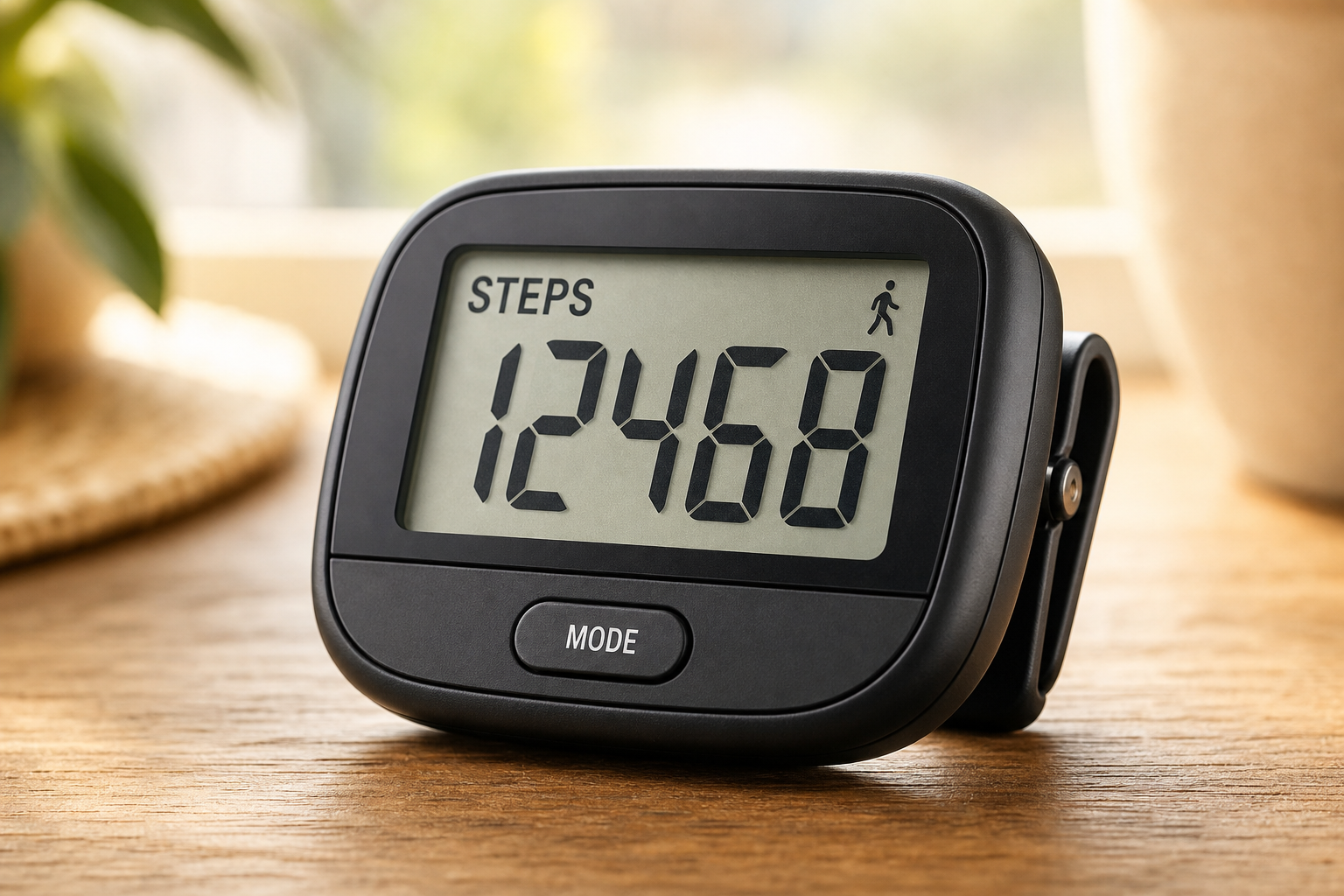
Display Size
The number one complaint about pedometers is displays that are too small to read. Look for models with numbers at least 0.75 inches tall, ideally with high-contrast black digits on a white background. Backlit displays help in dim environments but drain batteries faster.
If you need reading glasses for menus or pill bottles, you’ll need them for most pedometers too. The large-display models reduce that problem. Hold a few in the store if you can. If the numbers look fuzzy or cramped at arm’s length, keep looking.
Some models let you toggle between step count and other metrics (distance, calories). Make sure the numbers are readable on all screens, not just the default. You don’t want to discover the calorie display is illegible only after you’ve owned the thing for a week.
Battery Life
Simple pedometers run on watch batteries (CR2032 is the most common) and last 6-12 months between changes. Avoid rechargeable pedometers unless you’re confident you’ll remember to charge them. A battery you replace twice a year is far more reliable than one you need to plug in weekly.
CR2032 batteries cost about a dollar at most drugstores. Swapping them takes ten seconds. Pry the back cover off with a coin, pop the old battery out, drop the new one in. If you can change a watch battery, you can maintain a pedometer.
Rechargeable models add a USB port, a cable to lose, and a charging ritual that competes with your phone, tablet, and everything else. They also introduce a failure point: rechargeable batteries degrade over time and eventually won’t hold a charge. The pedometer becomes e-waste at that point, while a replaceable-battery model keeps working indefinitely.
Accuracy
Modern 3D accelerometer pedometers are accurate regardless of orientation or placement. Older models using pendulum mechanisms required careful hip-level placement and missed steps at slow walking speeds. The 3D models work in your pocket, on a lanyard, or clipped to your waistband.
3D accelerometers measure motion in all directions, so they distinguish actual steps from random jostling. Riding in a car won’t add phantom steps. Neither will tapping your foot or shifting in a chair. They’re smart enough to ignore non-walking movement but sensitive enough to count shuffling steps or slower gaits.
Pendulum-style pedometers (the kind that look like they have a little ball bearing inside) are mostly obsolete now, but they still show up in bargain bins. They’re cheap for a reason. If you walk slowly or have an uneven gait, they’ll undercount. If the clip loosens and the device tilts, accuracy tanks. Save yourself the frustration and stick with 3D models.
Large Buttons
Single-button interfaces are ideal. Press to view your steps, hold to reset. Models with multiple tiny buttons, modes, and settings add complexity without adding value. If you just want step counting, simpler is better.
Multi-button pedometers often hide their most useful function (viewing your step count) behind a “mode” button you need to cycle through. You press once, get yesterday’s total. Press again, get weekly average. Press a third time, finally see today’s steps. It’s annoying when you’re mid-walk and just want a quick check.
The best designs put today’s step count front and center. One button, one function. Everything else is secondary.
Durability and Clip Quality
Cheap clips break. The pedometer ends up in the washing machine, under the car seat, or lost in a parking lot. Look for metal clips or reinforced plastic clips with a hinge that doesn’t feel flimsy.
Some models include both a belt clip and a lanyard hole. That redundancy is worth having. If you don’t wear a belt, the lanyard keeps the pedometer accessible. If you find lanyards annoying, the clip works fine. Options matter.
Check reviews for mentions of the clip breaking. If multiple people report it snapping off within a few months, that’s a design flaw, not bad luck.
Top Pedometers for Seniors
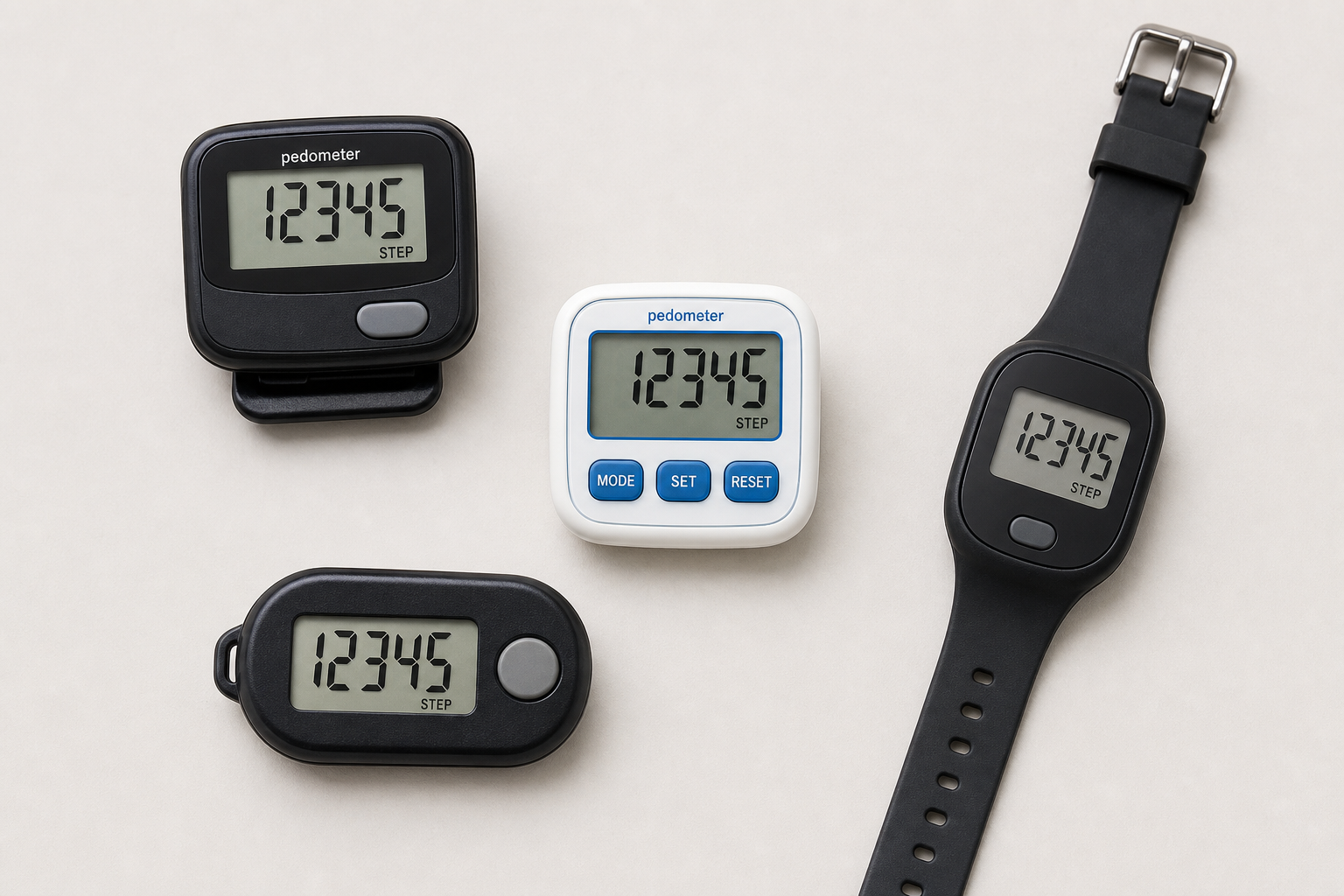
3DFitBud Simple Step Counter
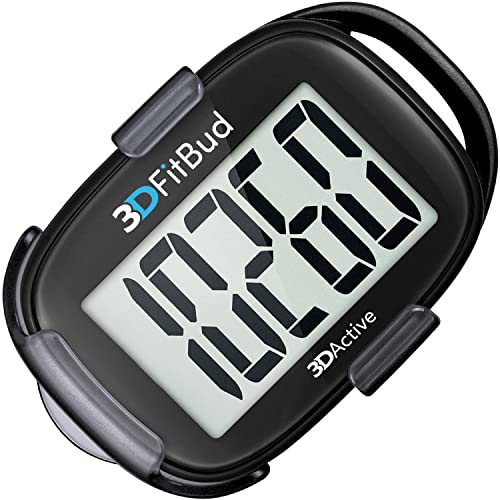
3DFitBud Simple Step Counter
Best for seniors who want step counting and nothing else, with a large display and one-button operation
The 3DFitBud is the most popular no-frills pedometer on the market. It has a large display, one button, and counts steps. No Bluetooth, no app, no exercise modes. The 3D accelerometer is accurate at any walking speed, and it works in your pocket or clipped to your belt. Battery lasts about 12 months.
The display shows five digits, so it maxes out at 99,999 steps before rolling over. Unless you’re walking a marathon daily, that’s not a limitation. The numbers are big, bold, and easy to read in most lighting. No backlight, so checking it in the dark requires a flashlight or overhead light.
The single button cycles between viewing your count and resetting to zero. Hold it down for a few seconds to reset. That’s the entire instruction manual.
The clip is sturdy plastic with a metal hinge. It holds securely on waistbands, pockets, and belts. The device is light enough that it doesn’t drag fabric down or feel heavy on a lanyard.
Best for: Anyone who wants step counting and nothing else.
Omron Alvita Optimized Pedometer

Omron Alvita Optimized Pedometer
Best for seniors who want a bit more data than just step count, including aerobic steps and 7-day memory
The Omron Alvita adds a few useful features beyond basic step counting: it tracks distance (based on your stride length), calories burned, and separates “aerobic steps” (sustained walking for 10+ minutes) from casual steps. The display is large and clear, and Omron’s medical-device heritage means the step counting accuracy is excellent.
You program your stride length during setup. Walk ten normal steps, measure the distance, divide by ten, and enter the result. The pedometer uses that number to estimate distance traveled. It’s not GPS-level precision, but it’s close enough for daily tracking.
The “aerobic steps” feature counts only continuous walking. If you stroll to the mailbox, that doesn’t register. If you walk around the neighborhood for fifteen minutes, it does. This matches the clinical definition of exercise better than a raw step count, which lumps all movement together.
Calories burned is an estimate based on steps, distance, and the weight you enter during setup. It’s ballpark accurate but doesn’t account for terrain, pace variations, or individual metabolism. Treat it as a rough guide, not gospel.
The Alvita has a seven-day memory. You can scroll back to see how many steps you took earlier in the week. Helpful if you’re tracking weekly totals or noticing patterns (you walk more on Tuesdays, less on Sundays, whatever).
The clip is metal and built to last. The buttons are labeled and large enough to press without fumbling. Setup takes a few minutes but isn’t complicated.
Best for: Seniors who want a bit more data than just step count but still don’t want a smartwatch.
Realalt 3D TriSport Walking Pedometer
The Realalt 3D TriSport tracks steps, distance, and calories, with a 30-day memory that stores your daily totals. The clip is sturdy and the lanyard attachment is helpful for seniors who don’t wear belts. The display is slightly smaller than the 3DFitBud but still easy to read.
The 30-day memory is the standout feature. You can look back at the entire month and see which days you were most active. No app, no computer required. Just scroll through the dates on the device itself.
This is useful for spotting trends. Maybe your step count drops every weekend, or you consistently walk more on days you visit the grocery store. Having that data visible without needing to log into anything makes it more likely you’ll actually use it.
The TriSport also has an “exercise time” tracker that counts how many minutes you’ve spent in sustained activity. Like the Omron, it distinguishes between casual movement and deliberate walking. If you’re working toward a goal of 30 minutes of walking per day, this feature makes that easier to track.
The display shows one metric at a time. Press the button to cycle through steps, distance, calories, and exercise time. The numbers are clear but not quite as large as the 3DFitBud’s. If you have significant vision issues, try before you buy.
The lanyard attachment is a reinforced loop, not just a hole punched in the plastic. It won’t tear out. The clip is removable, so you can use the lanyard full-time if that’s your preference.
Best for: Seniors who want to look back at weekly or monthly step trends without using an app.
Daily Step Targets by Age and Fitness Level

- Sedentary starting point (60+): 3,000-4,000 steps per day. If you’re currently inactive, this is a realistic initial goal.
- Moderate activity (60-70): 5,000-7,000 steps per day. Research shows this range provides significant cardiovascular and mortality benefits.
- Active (60-70): 7,000-9,000 steps per day. Substantial health benefits with diminishing additional gains above 8,000.
- Older adults (75+): 4,500-7,000 steps per day. Research suggests the optimal range for longevity benefits peaks lower with advancing age.
The most important number is whatever is 500-1,000 steps more than your current daily average. Progress gradually by adding 500 steps per week until you reach your target range.
If you’re starting from near-zero activity, talk to your doctor before jumping into a step goal. Some conditions (recent surgery, uncontrolled heart issues, severe arthritis flare-ups) need medical clearance before increasing walking volume.
Don’t fixate on a single magic number. Your “right” step count depends on your current fitness, joint health, balance, and what your body tolerates well. A 62-year-old marathon runner and a 62-year-old recovering from hip replacement shouldn’t have the same target.
Use the pedometer to establish your baseline first. Wear it for a week without changing your routine. Average those seven days. That’s your starting point. Add 500 steps to that average and make that your new daily goal. When 500 extra steps feels easy, add another 500.
This approach is sustainable. It doesn’t require willpower or motivation. You’re barely increasing effort, so there’s less resistance. Small, consistent increases compound over weeks and months.
When Pedometers Aren’t the Right Tool
If you swim, bike, or do strength training as your primary exercise, a pedometer won’t capture that activity. It only counts steps. An hour in the pool registers as zero movement. Same with cycling or lifting weights.
For multi-sport tracking, you’d need a fitness watch or a more advanced activity tracker. Pedometers are single-purpose devices. They’re excellent at that one purpose, but they’re not all-purpose fitness monitors.
If you have significant balance issues or use a walker, consult a physical therapist about appropriate activity goals. Step counts might not be the most useful metric. Time spent moving, distance covered with assistance, or exercises that improve stability could matter more than raw steps.
Frequently Asked Questions
Are pedometers as accurate as fitness watches?
For step counting specifically, quality 3D pedometers are within 5% of the accuracy of fitness watches. They don’t track heart rate, sleep, or GPS, but for their intended purpose (counting steps), they perform just as well.
Lab tests comparing pedometers to manual step counts (researchers literally watching video and counting) show high-end pedometers hit 95-98% accuracy. Fitness watches land in the same range. The difference is negligible for practical use.
Where fitness watches pull ahead is contextual data. They know your heart rate during that walk, your pace per mile, elevation gain, and whether you stopped for a rest. Pedometers just know you took X steps. For many people, that extra data isn’t worth the complexity and cost.
Where should I wear my pedometer?
Modern 3D pedometers work anywhere on your body: front pocket, back pocket, belt clip, or on a lanyard around your neck. They don’t need to be at hip level like older models did. The pocket is the most secure position.
Front pocket is popular because it’s easy to check the display without unclipping anything. Back pocket works but risks sitting on the device (uncomfortable) or forgetting it’s there when you sit down (potential damage).
Belt clip is classic. It keeps the pedometer visible and accessible. Some people find clipped devices annoying or worry about them catching on door frames and furniture.
Lanyard keeps the pedometer always with you but can swing around while you walk. Tucking it inside your shirt solves that problem.
Try a few positions and see what you forget about. The best placement is the one that doesn’t make you constantly aware you’re wearing a pedometer.
Do I really need 10,000 steps a day?
No. The 10,000-step target originated as a marketing campaign for a Japanese pedometer in the 1960s. Recent research from Harvard and the National Institutes of Health shows that for adults over 60, the biggest health gains occur between 4,000 and 8,000 steps per day. Pushing beyond 8,000 provides minimal additional benefit for most seniors.
The 10,000 figure wasn’t based on physiology. It was a round number that sounded impressive. The Japanese character for 10,000 also resembles a person walking, which made for good branding. That’s the entire scientific basis.